Top A/B Testing Tools for Growth Teams: 12 Platforms That Actually Scale With You.


Growth teams move fast. You need tools that let you test, learn, and scale without bottlenecks. Accurate data you can depend on for decisions, no-code speed when you want it, feature flags when called for, and pricing that makes sense as you grow.
This list helps you make that choice, from free options for startups to enterprise platforms for complex programs, whether you’re in SaaS, ecommerce, or any other industry.
Disclosure: Convert Experiences is our product. We’ve included it in this roundup alongside the tools we compete with, evaluated against the same criteria as every other entry. Where Convert came out ahead for a specific persona, we’ve said so. Where it didn’t, we’ve said that too.
Product features, pricing, and availability may change over time. We recommend checking each vendor’s official website for the latest information before making a decision.
What Makes an A/B Testing Tool Great for Growth Teams?
For growth teams, velocity, alignment, and impact matter more than feature checklists.
The tools that stand out are those that solve real growth problems, not just look good on paper. Below are the attributes that separate tools that work from the ones that slow you down.
- Speed of experimentation
You need tools that let you launch tests in minutes, not days. That means good defaults, visual editors for non-dev tweaks, and minimal friction between idea and deployment. - Collaboration and workflow integration
The tools should plug into your team’s workflow, i.e., Slack notifications, Jira/story links, version control, and shared dashboards. So PMs, marketers, and engineers can stay in sync. - Data accuracy and trust
You want tools with SRM checks, robust anti-flicker logic, reliable statistical methods (Frequentist, Bayesian, or sequential), and guardrails to catch data quality issues, so your growth team can trust experiment results. - Scalability and concurrency
As your growth pipeline fills, your testing velocity will grow. The right tool should support parallel tests, multivariate experiments, feature flags, and guardrails to avoid interference between tests. - Flexible segmentation and targeting
You should be able to slice your traffic by cohorts, campaign source, lifecycle stage, geography, and behavioral triggers, or define custom segments. - Full-stack capabilities for AI-native teams
This is two-fold:
1) The platform should support experiments that test the resilience of business decisions, not just button color choice. Think trials with credit cards vs trials without credit cards, trial duration bets, onboarding flows pitched against each other, testing enrichment and lead scoring models.
2) Do it all at unprecedented speeds with a powerful API and well-structured, secure MCP server to seamlessly slot into the existing AI stack.
A/B Testing Software for Growth Teams: At-a-Glance Comparison Table
| Tool | Starting price | Visual editor | Full-stack testing (Client and server) | GA4 integration | Feature flags and rollouts | Ideal growth stage |
| Convert Experiences | $299/mo (paid annually) or $399/mo (paid monthly) – for 100k MTUs. $420/month for full-stack testing | ✅ | ✅ | ✅ | ✅ | Mid-size to enterprise |
| Optimizely | Custom pricing | ✅ | ✅ | ✅ | ✅ | Enterprise |
| Wingify | 30-day free trial / custom pricing | ✅ | ✅ | ✅ | ✅ | Mid-size to enterprise |
| Adobe Target | Custom pricing | ✅ | ✅ | ✅ | ✅ | Mid-size to enterprise |
| Amplitude | Free for 2M events/month; Plus uses usage-based pricing | ✅ | ✅ | ✅ | ✅ | Scaling SaaS to enterprise |
| GrowthBook | Free Starter plan / $40/user/month / free self-hosted version available | ✅ | ✅ | ✅ | ✅ | Startups to Scaling SaaS |
| Statsig | Free Developer plan tier + $150/month | ✅ | ✅ | ✅ | ✅ | Scaling SaaS |
| PostHog | Free up to 1M events and 1M feature flag requests, then usage-based | ✅ | ✅ | ❌ | ✅ | Startups to Scaling SaaS |
| Kameleoon | 30-day free trial / PBX Starter plan starts at $495/month | ✅ | ✅ | ✅ | ✅ | Mid-size to enterprise |
| LaunchDarkly | Free Developer plan; pay-as-you-go Foundation plan | ❌ | ✅ | ✅ | ✅ | Scaling SaaS to enterprise |
| Dynamic Yield | Custom pricing | ✅ | ✅ | ✅ | ✅ | Enterprise |
| Crazy Egg | $99/mo for 150k tracked pageviews (billed annually) | ✅ | ❌ | ✅ | ❌ | Startups |
How We Chose Each Tool
As a growth team ourselves, we started with the tools we already see used across growth and product marketing teams like ours for both website CRO and product experimentation.
Then we asked around: Based on actual user feedback, what matters most to growth teams running marketing and product experiments?
Using the priorities we identified as our filter, we compiled this list of A/B testing tools that growth teams consistently rely on to run experiments fast and scalably. Varying budgets and appeal to different org sizes also played a role in our choices.
The Top A/B Testing Tools for Growth Teams Who Experiment Often
For growth teams at different stages:
- Convert Experiences: Best for mid-market and enterprise teams looking for full-stack experimentation, strong privacy compliance, and secure AI automations
- Optimizely: Best for mature growth teams running complex experiments
- Wingify: Best for growth teams that want a combination of CRO tools, visual website testing, and feature experimentation.
- Adobe Target: Best for enterprise with deep personalization needs
- Amplitude: Best for growth teams who want analytics and testing in one
- GrowthBook: Best for growth teams that want open-source flexibility
- Statsig: Best for product-led growth teams with dev support
- PostHog: Best for product analytics and experimentation in one stack
- Kameleoon: Best for teams needing AI-driven optimization
- LaunchDarkly: Best for feature flags and rollouts at scale
- Dynamic Yield: Best for advanced personalization and testing in ecommerce
- Crazy Egg: Best lightweight analytics and testing combo for early-stage teams
Need to explore more A/B testing tools? Check out our curated Top A/B Testing Tools for Actionable Marketing Insights.
1. Convert Experiences
Best for: Mid-market and enterprise teams looking for full-stack experimentation, strong privacy compliance, and secure AI automations.
Pricing: Convert offers a 15-day free trial (no credit card required). Paid plans start at $299/month (billed yearly) or $399/month (billed monthly) for up to 100K tested users. Full-stack experimentation and feature flags require Pro or Enterprise, with Pro starting at $420/month (billed annually).
What is Convert Experiences?
Convert Experiences is an experimentation platform that helps growth teams launch tests quickly while still supporting complex, full-stack experiments. It covers the spectrum from no-code web tests (headlines, CTAs, layouts) to server-side experiments (pricing, algorithms, feature flags).
What are Convert Experiences’ Top Features?
- Full-stack testing across client-side and server-side environments, letting growth teams test backend logic, pricing, algorithms, etc., alongside frontend changes.
- Precision audience targeting with advanced filters including geographic targeting, dataLayer variables, cookies, custom JS logic, etc.
- Post-segmentation that allows growth teams to segment results by traffic source, device cohort, and custom segments to see where lift truly happens.
- Flexible statistical methods including sequential testing and multi-armed bandits that help teams choose between rigorous experiment analysis and faster traffic optimization. Convert Intelligence® helps guide when to use which.
- UX friction detection and native heatmaps using Convert Signals® and built-in heatmaps. Signals® detects user friction (rage clicks, hesitation, etc.) and the heatmaps visualize where visitors click, tap, and scroll on each variation asynchronously, without blocking page load.
- Experiment collision control that allows teams to exclude visitors already participating in other experiments to prevent contamination across concurrent tests.
- MCP server that allows teams to connect Convert to AI assistants like Claude and Cursor to create experiments, analyze results, generate reports, and manage testing workflows using natural language.
- Structured notes inside reports that capture hypotheses, anomalies, and decisions where they happen to compound team learning.
Convert Experiences’ Pros and Cons
Pros
- The uncluttered UI and visual editor make it easy for growth teams to launch website experiments without depending on developers.
- Combines A/B testing, product experimentation, feature flags, and personalization in one platform, so teams can run different types of experiments.
- Anti-flicker delivery helps minimize visual disruptions during tests, while statistical controls make it easier to evaluate results reliably.
- Integration with tools like GA4, Shopify, and Segment allows teams to connect experiment data with their existing marketing and analytics workflows.
- Strong customer support and onboarding help teams resolve setup issues and get complex experiments running without lengthy troubleshooting.
- Predictable, publicly listed pricing makes it easier to plan experimentation budgets and estimate costs as traffic increases.
Cons
- Documentation for advanced frameworks or edge implementations can be improved, particularly for teams working with less common technical setups.
- Advanced server-side experimentation often requires developer involvement to implement SDKs, configure flags, and track exposure correctly.
- Event tracking configuration can be tricky for complex ecommerce implementations, especially when working with custom storefronts or checkout flows.
Why Convert Experiences is a Fit for Growth Teams
Convert balances speed and accuracy with no-code tools for quick wins and robust APIs for deeper integrations.
Built-in SRM detection helps teams catch problems with traffic allocation, while its Frequentist, Bayesian, and sequential testing options support different approaches to analyzing results.
The transparent pricing model means teams can scale testing volume without worrying about hidden fees, making it especially appealing for SaaS and ecommerce companies (Ecommerce teams comparing Shopify-native testing tools should see Convert vs Intelligems.) with ambitious growth roadmaps.
Why Do Companies Use Convert Experiences?
Growth teams choose Convert Experiences for three main reasons: privacy, flexibility, and predictability. Its privacy-first design aligns with global compliance needs (GDPR and CCPA), its 90+ integrations make it easy to connect with your existing tools and workflows, and its flat pricing keeps experimentation predictable as traffic grows.
For mid-market and enterprise growth teams that need reliable data, quick test launches, and seamless collaboration between marketing and product, Convert is a natural fit.
What Users Say About Convert Experiences
Positive:
Convert Experiences strikes a great balance between power and usability. The visual editor is fast and reliable, even on complex pages, and the experiment setup is clear and flexible without feeling overwhelming. We especially like the transparency around data and privacy (no sampling, GDPR-friendly), which gives us confidence in the results. On top of that, their support team is knowledgeable and responsive, and the documentation makes it easy to get advanced quickly.
Source: G2
Critical:
I don’t like that the preview mode sometimes works and sometimes doesn’t. The event tracking is another issue, because Convert Experiences cannot properly measure different events in our custom-built WooCommerce theme. This is quite a hassle. More documentation on how to set up event tracking yourself would also be useful, as there is still little to be found, especially for specific scenarios such as with a WooCommerce custom theme.
Source: G2
2. Optimizely
Best for: Enterprise product and growth teams running complex experimentation programs across multiple products, teams, and digital channels.
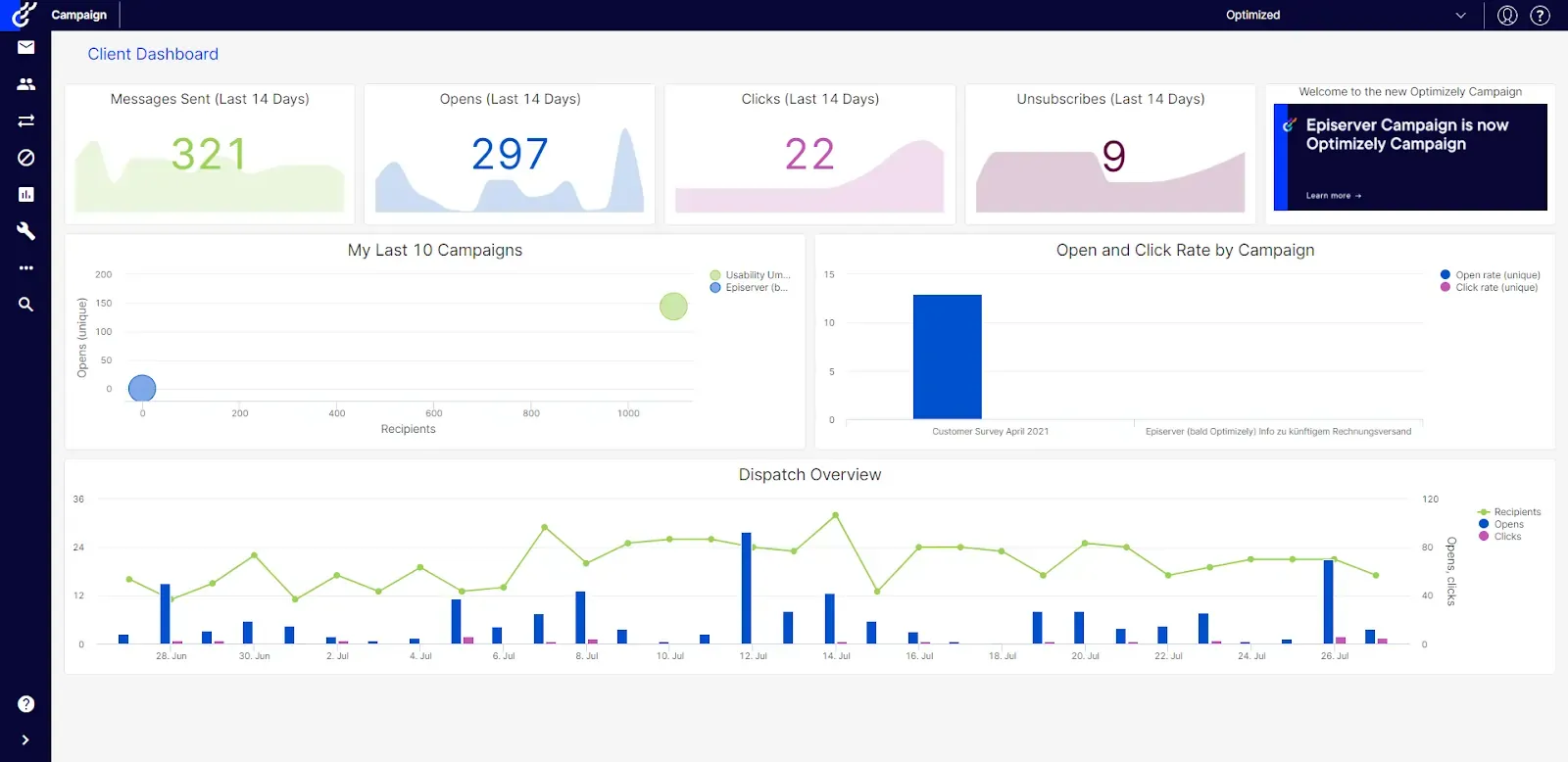
Pricing: Optimizely offers custom pricing for Web Experimentation and Feature Experimentation. You’ll need to contact sales for a quote based on your requirements.
What is Optimizely?
Optimizely is one of the most established platforms for digital experimentation, designed for companies that run complex, high-stakes growth programs.
It combines a visual editor for quick marketing tests with feature flagging and server-side experiments for product teams.
What are Optimizely’s Top Features?
- Visual editor that helps growth marketers to build and launch experiments without developer overhead.
- Feature flags and rollout tools that enable product teams to test new functionality with selected users before making it available to everyone.
- Audience targeting and segmentation, including GA4 audience sync, so growth teams can test different experiences with specific visitor groups and analyze their responses.
- Multi-channel support across websites, mobile applications, and backend services, which allow teams to test changes on different touchpoints.
- Warehouse-native analytics that help growth teams analyze experiments against metrics stored in tools like Snowflake, BigQuery, and Databricks.
Optimizely’s Pros and Cons
Pros
- A mature experimentation platform that supports large-scale experimentation programs involving multiple teams and digital properties.
- Supports both marketing and product experimentation, so marketers can run website tests while product teams experiment with features and application logic.
- Enterprise-grade experimentation governance helps teams manage permissions, approvals, and experiment ownership across different departments.
- Deep integrations with analytics, CDPs, and warehouse infrastructure allow teams to connect experiment results with existing customer and business data.
Cons
- Pricing is extremely high for smaller marketing teams, especially those that don’t need both web and feature experimentation.
- Implementation requires some support, especially when connecting complex data systems or coordinating experiments across multiple applications.
- Some users report performance overhead from the experimentation script.
Why Optimizely is a Fit for Growth Teams
Optimizely balances power and scale with experimentation speed. Growth teams can set up cross-channel tests and tie them directly to analytics rather than relying on siloed dashboards.
Visual editing and audience sync reduce reliance on devs, while feature flags and rollout controls let teams launch confidently. As your experimentation program matures, you gain access to richer analytics workflows and full-stack testing.
Why Do Companies Use Optimizely?
Companies choose Optimizely when they outgrow simpler testing tools and need robust control, scale, and integration. It’s trusted by larger brands and teams with high volume, complex architectures, and multiple touchpoints.
While its cost and setup can be steep, users prefer it for its reliability, depth, and analytics fidelity.
What Users Say About Optimizely
Positive:
You have absolute control over the page you are testing (it’s URL-specific, copy & paste), and the results come in almost real-time. There are options at the top to inject CSS and JavaScript, which can help immensely! The Support Team is incredible with their feedback – usually taking ~24 hrs. or less! Highly recommend!
Source: G2
Critical:
One thing I found challenging about Optimizely Web Experimentation is that the initial learning curve was steep. Especially for new users without prior experience or guidance. There are a lot of features. The documentation is robust, but it doesn’t speed up the process. Recent changes to the user interface make it difficult to find and access certain features or settings. These interface changes disrupted the workflow. It requires additional clicks or searches to complete tasks that previously seemed simpler.
Source: G2
3. Wingify
Best for: Mid-size marketing and growth teams in ecommerce and SaaS that want A/B testing, behavior insights, and CRO tools in one platform.
Pricing: You’d have to contact sales for custom pricing. But there’s a free 30-day trial.
What is Wingify?
Wingify is a Digital Experience Optimization (DXO) platform that helps businesses improve their websites and mobile apps to increase sales and sign-ups.
Created through a 2026 merger of the popular software tools VWO and AB Tasty, this platform allows teams to track visitor behavior using tools like heatmaps, run A/B, split, and multivariate tests to see which design works best, and automatically personalize the user experience using an integrated AI system.
What are Wingify’s Top Features?
- Visual editor that lets marketers create and launch website A/B tests by changing headlines, layouts, CTAs, and other page elements without coding.
- Robust analytics that track user behavior through visual heatmaps, session recordings, form analytics, and customer surveys to pinpoint exactly where visitors get stuck.
- Personalization features that allow teams to customize content, search results, and product recommendations in real time based on adaptive customer segments and behavioral data.
- Feature management tools that empower engineering and product teams to safely test code server-side, schedule progressive feature rollouts, and use instant kill switches if an issue arises.
- Wingz AI, the shared AI layer across the Wingify suite that analyzes experiment results and customer behavior to uncover insights, suggest improvements, and automate workflows.
Wingify’s Pros and Cons
Pros
- A comprehensive suite of CRO tools covering A/B testing, personalization, behavioral analytics, and feature experimentation.
- Its easy-to-use visual editor allows marketers to create and launch website tests without writing code for every variation.
- Suitable for both marketing and product teams, with visual website testing and SDK-based feature experimentation available across the broader platform.
- Strong onboarding and support resources help teams learn the platform, troubleshoot experiments, and manage more advanced testing workflows.
Cons
- Pricing isn’t publicly transparent, so teams need to contact sales to compare plans and understand what each product includes.
- Advanced experimentation features may require developer support, especially for server-side testing, feature flags, and custom integrations.
Why Wingify is a Fit for Growth Teams
Growth teams benefit from Wingify because it bridges the gap between marketing and engineering. Marketers can spin up A/B tests visually, while product teams can manage flags and logic behind the scenes.
Why Do Companies Use Wingify?
Companies choose Wingify when they want one platform to handle both front-end experimentation and backend feature testing.
What Users Say About Wingify
The following reviews reflect users’ experiences with VWO, which now operates under Wingify.
Positive:
I find VWO Testing to be an excellent A/B testing platform that is easy to use and reliable. Setting up A/B tests is straightforward, and the insights provided are clear, which makes it a great tool for anyone serious about conversion optimization.
I appreciate the trackability of visitors through VWO Testing, which helps in determining when to launch a page live based on visitor increase. Additionally, the support team is commendable for their good service, and the powerful features offered by VWO Testing enhance my overall user experience.
The initial setup process was pretty easy, which facilitates faster implementation and engagement with the tool.
Source: G2
Critical:
I find that when trying to add more goals in VWO Testing, the application tends to become slow.
Source: G2
4. Adobe Target
Best for: Enterprise marketing and growth teams using the Adobe ecosystem that need large-scale personalization and experimentation.
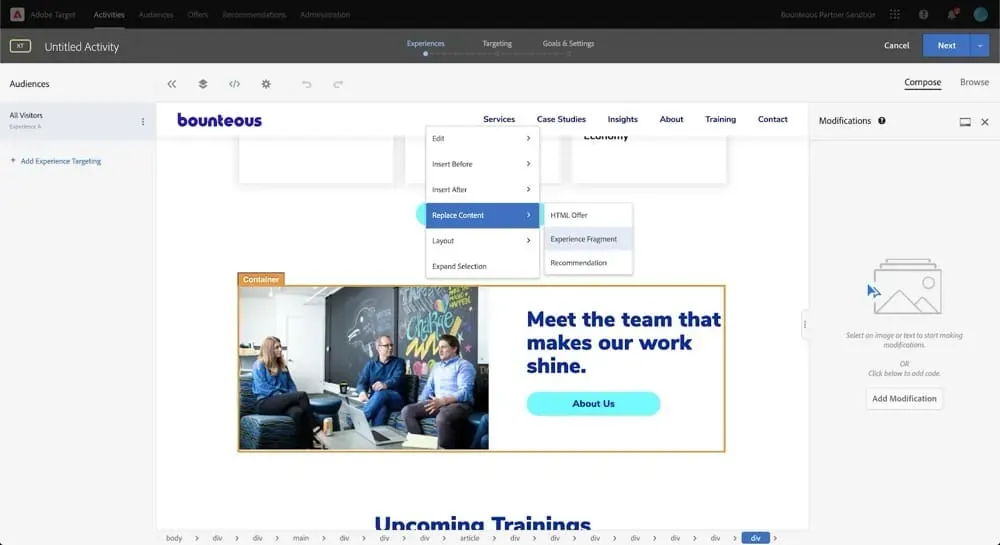
Pricing: You’ll have to contact sales for custom pricing.
What is Adobe Target?
Adobe Target is the Adobe Experience Cloud’s solution for A/B testing, multivariate experimentation, and personalization across web, mobile, email, and connected channels.
It supports rule-based targeting, AI-driven personalization, recommendations, and experience management.
What are Adobe Target’s Top Features?
- Visual Experience Composer and form-based editor that let teams create A/B tests and personalized experiences through visual editing or form-based configuration.
- AI-powered personalization and Auto-Target that matches experiences with individual visitors based on their behavior and customer profiles.
- Advanced experimentation and targeting tools that support A/B and multivariate testing, automatic traffic allocation, and audience-specific experiences.
- Deep integration with the Adobe Experience Platform and Adobe Analytics tools.
- SDKs and APIs that enable experimentation across mobile applications, backend systems, and hybrid environments without relying entirely on browser-based scripts.
Adobe Target’s Pros and Cons
Pros
- Its powerful personalization and targeting engine allows teams to tailor experiences to different audiences and test which changes improve conversions.
- Strong AI optimization and recommendation features help automate content selection and deliver more relevant experiences based on user behavior.
- Integrates with Adobe Experience Cloud analytics and marketing tools, so growth teams can use existing customer data and audience segments in their experiments.
- Scalable for brands with very large traffic volumes and experimentation programs that span multiple digital channels.
Cons
- Enterprise pricing makes it inaccessible to many smaller growth teams that only need simple website A/B testing.
- Many teams can only get the full value from Adobe Target when they use other products in Adobe’s ecosystem.
- Some users report a long onboarding process, especially when setting up personalization rules, integrations, and complex experiments.
Why Adobe Target is a Fit for Growth Teams
For organizations already invested in Adobe’s marketing and analytics stack, Target offers a unified environment where experiments, personalization, and audience definitions coexist.
You avoid tool sprawl, gain robust control over segmentation and content delivery, and benefit from machine learning support to optimize personalization at scale.
Why Do Companies Use Adobe Target?
Enterprises use Adobe Target when they demand governance, integration with Adobe’s Experience Cloud, and advanced optimization capabilities (personalization, recommendations, ML).
It’s common in large commerce, media, and digital brands that want to scale their experimentation program without decoupling from their core marketing infrastructure.
What Users Say About Adobe Target
Positive:
I really value how easy it is to set up AB testing, making it possible for me to launch experiments both quickly and efficiently. The initial setup process is straightforward, and as I continue to use the platform, I find it becoming an even more dependable tool. Customer support is always accessible and very helpful, providing effective solutions whenever I encounter any issues.
Source: G2
Critical:
While Adobe Target is powerful, it can be quite complex to set up and configure, especially for teams without dedicated technical resources. The learning curve is steep, and some features feel overcomplicated. Additionally, it can be slow to load, and the interface could be more intuitive. Integration with non-Adobe products sometimes requires additional steps, and the pricing can be high for smaller businesses.
Source: G2
5. Amplitude
Best for: Product-led growth teams at SaaS companies that want experimentation tightly connected to product analytics and user behavior data.
Pricing: Amplitude offers a free plan with 2 million events per month and limited experimentation functionality. Its Plus plan starts at $0 and scales with event usage, while larger plans use custom pricing.
What is Amplitude?
Amplitude Experiment is built for product, growth, and analytics teams to run A/B tests, feature flags, and personalization in the same platform where they already track user behavior. It unifies data and experimentation so your experiments start and end with your actual product usage metrics.
What are Amplitude’s Top Features?
- Unified SDK and browser unified SDK, a single integration point for analytics, experiments, and session replay, reducing instrumentation overhead.
- Multivariate tests, A/B tests, and multi-armed bandits that allow teams to compare experiment variations and optimize traffic allocation.
- Progressive rollouts, kill switches, and feature flags that help teams test new features with smaller audiences before launching them more widely.
- Deep integration with behavioral analytics: experiment results, sessions, metrics, and funnels live in Amplitude for seamless context.
- SDKs across platforms (JavaScript, iOS, Android, Node.js, Python, JVM) for both client-side and server-side evaluation.
Amplitude’s Pros and Cons
Pros
- Tight integration with product analytics and behavioral data lets growth teams compare experiment results with how users actually interact with their products.
- Teams can match experiment data against real product usage metrics, such as activation, engagement, retention, and conversion.
- Scales well for product-led growth teams that need to run experiments across different features, user journeys, and customer segments.
- Strong SDK support allows developers to implement tests across web, mobile, and backend environments.
Cons
- Feels more analytics-focused than CRO-focused, so teams primarily running visual website experiments may find some workflows inconvenient.
- Experiment analysis may require deeper data knowledge, especially when interpreting funnel behavior, user cohorts, and complex product metrics.
- Requires well-instrumented event tracking to deliver meaningful insights.
Why Amplitude is a Fit for Growth Teams
Growth teams benefit from reducing fragmentation, i.e., no more stitching experiment data from a separate tool into analytics. Because tests run in the same system that captures behavioral data, you can immediately slice lift by cohorts, funnels, or retention segments. Also, its rollout and flag capabilities reduce risk when pushing changes to users.
Why Do Companies Use Amplitude?
Companies adopt Amplitude when they want their experimentation tightly integrated with their analytics backbone.
It’s especially appealing when analytics, product, and growth teams already rely on Amplitude for user behavior data, so experiments can be grounded in that same data model without duplication or sync issues.
What Users Say About Amplitude
Positive:
What I like most about Amplitude Web Experimentation is the ease of making changes to page content with the visual change tool. It’s quite easy to use, although I also feel that it is somewhat limited. Another thing I find very interesting is the ability to customize who to show the experiments to, which I consider to be a standout feature. I also find the content editing part directly within Amplitude interesting, although it is true that it has its limitations.
Source: G2
Critical:
I wish you could more easily move web components around. We decided to go with Amplitude for this because the A/B test add-on for our website platform was too expensive, but this really doesn’t go as far as we need it to in order to really make it the best possible tool for us. It’s pretty limited to edits that you can make within the existing structure.
Source: G2
6. GrowthBook
Best for: Startups and scaling SaaS teams that prefer warehouse-native experimentation and open-source flexibility.
Pricing: GrowthBook offers a free Starter plan for up to three users, with unlimited experiments and feature flags. Pro starts at $40 per seat/month and a free self-hosted version is also available.
What is GrowthBook?
GrowthBook is a hybrid experimentation and feature platform that lets you run flag-driven experiments via SDKs or use the visual editor for simple tests. It avoids the “black-box vendor” model by pushing analysis to your data infrastructure.
What are GrowthBook’s Top Features?
- Visual editor (in higher tiers) for simple web tests to create, launch, and manage A/B tests.
- Full-stack SDK-driven experiments and feature flags for end-to-end experimentation and feature releases across web, mobile, and backend.
- Flexible integrations with analytics and warehouses like GA4, BigQuery, Snowflake.
- Advanced stats and quality checks (Bayesian, CUPED, SRM) for trustworthy results and built-in data validity checks.
- APIs, webhooks, Slack, GitHub integrations to automate experiment workflows.
- Minimal dependency footprint, fast SDKs, streaming updates, ensuring performance even at scale.
GrowthBook’s Pros and Cons
Pros
- Strong transparency and open-source access allow technical teams to inspect how experiments work and customize the platform to their requirements.
- Its warehouse-native approach lets teams analyze experiments directly in their data stack using metrics they already track.
- Reduces vendor lock-in by giving organizations more control over their experimentation infrastructure, data, and deployment options.
- Lower costs compared with many enterprise experimentation tools, especially for teams that can use the free tier or manage self-hosting.
Cons
- Documentation can be technical for non-developer users, especially when configuring SDKs, metrics, or warehouse connections.
- Smaller teams may struggle to maintain a self-hosted setup without dedicated technical resources for updates, integrations, and troubleshooting.
- Visual experimentation is less extensive than some dedicated CRO tools, and its advanced visual editor is available on paid plans.
Why GrowthBook is a Fit for Growth Teams
Growth teams benefit because GrowthBook lets you test faster without giving up control. You can start simple and grow into full-stack experiments. Because analysis happens in your data warehouse, you can work with existing business metrics without maintaining a separate analytics dataset, although result accuracy still depends on the quality and freshness of your data.
Why Do Companies Use GrowthBook?
Teams adopt GrowthBook when they’re invested in their analytics stack and want experiments to live alongside other data workflows. Its transparency, control, extensibility, and mix of usability and developer features make it a compelling choice for teams that don’t want the constraints of closed systems.
What Users Say About GrowthBook
Positive:
We gather our experimentation data in a separate platform and needed a place to load and analyze it. Growthbook is the only tool we found that allowed us to do that.
Source: G2
Critical:
Sometimes the UI can be confusing and not the most user-friendly, but the community of GB users and their customer service reps are responsive and helpful. The integration took a bit longer than we were initially expecting and we had to make sure it was loading in the browser synchronously before the elements we were testing which had thrown off some early tests. But, now we use this day-in and day-out with ease.
Source: G2
7. Statsig
Best for: Engineering-led growth teams at fast-scaling product companies that run experiments through feature flags and rapid releases.
Pricing: Statsig offers a free Developer plan with experimentation, feature flags, and analytics. Its Pro plan starts at $150/month with more events and session plays.
What is Statsig?
Statsig is a product experimentation and feature flagging platform that unifies rollout controls, A/B/N tests, and metrics tracking in a single interface. Growth teams can safely release features, validate new ideas, and understand how changes affect key metrics using built-in analytics.
What are Statsig’s Top Features?
- Feature flags and experiments that let growth teams gradually release product changes and measure their impact on conversions, engagement, and other business metrics.
- Rich SDK ecosystem that supports experimentation across 30+ platforms, including web, mobile, backend, and edge environments.
- Analytics integrations with tools like Google Analytics 4 (GA4) and Google Tag Manager to connect experiment results with existing measurement workflows.
- Warehouse Native functionality that allows teams to analyze experiments using their existing warehouse data, business metrics, and experiment assignments.
- Session replay and product analytics that help teams investigate user behavior and review recordings alongside experiment performance.
Statsig’s Pros and Cons
Pros
- Combines feature flags, experimentation, analytics, and rollout controls in one platform, helping product and growth teams coordinate testing with releases.
- Its free tier is attractive for early-stage startups that want to run experiments and track product performance before upgrading.
- Modern statistical methods, including Bayesian and frequentist analysis, help teams evaluate experiment outcomes using different statistical approaches.
Cons
- Visual editing for frontend tests is more limited than in dedicated CRO platforms, particularly for complex page changes and heavily customized websites.
- Requires engineering resources for many experiments, e.g., when testing application features or changes to backend logic.
- Reporting customization may feel limited for teams that need highly specialized dashboards or analysis across several business data sources.
Why Statsig is a Fit for Growth Teams
Growth teams gain velocity and confidence because Statsig ties experiments directly to their metrics and infrastructure. You don’t need to juggle separate tools because rollouts, experiments, metrics, and analytics live side by side. This reduces friction between product and growth, enabling hypotheses to go live quickly and letting teams act on results faster.
Why Do Companies Use Statsig?
Teams adopt Statsig when they want a single source of truth for feature releases and experimentation.
It’s favored in environments where engineering and growth must work closely, and where reliable measurement, fast iteration, and integration with data workflows are essential.
What Users Say About Statsig
Positive:
With Statsig, the set-up of the system to your platform-of-interest is incredibly easy through the use of their “Integrate Statsig SDK” with a wide range of options such as JavaScript and HTML.
There are a wide range of configurable features to ensure that the analytics collected provide maximum benefit and insight to the customer. One key use case is understanding how to improve the performance of the product and identify pain points for efficiency enhancements.
Source: G2
Critical:
One area that could be improved in Statsig is the workflow for sharing experiments or feature gates in development with colleagues. Although using overrides is an option, it can be somewhat cumbersome.
Source: G2
Note: Statsig joined the Amplitude family in May 2026. Amplitude now maintains and develops the Statsig platform alongside its existing analytics and experimentation products.
8. PostHog
Best for: Startup and scale-up product teams that want analytics, feature flags, and experimentation in a single developer-friendly platform.
Pricing: PostHog offers a generous free tier (with free usage quotas for events, flags, replays). Paid tiers scale based on usage (events, feature flag requests, replay volume).
What is PostHog?
PostHog is built to replace the patchwork of analytics, experimentation, and UX tools by combining them into one platform. Growth teams can track users, run experiments, and see session replay in one place instead of hopping between tools.
What are PostHog’s Top Features?
- Automatic event capture that tracks clicks, pageviews, and form submissions without requiring teams to configure every visitor interaction manually.
- Experimentation engine and rollout controls that allow teams to define experiments, target specific audiences, and manage traffic allocation through feature flags.
- Heatmaps and session replay that show where visitors click, scroll, and encounter friction.
- No-code editor that lets marketers change simple text, styles, and page elements through a visual toolbar.
- Lightweight SDKs and fallback logic that batch and queue events asynchronously while minimizing application performance overhead.
PostHog’s Pros and Cons
Pros
- A generous free tier and usage-based pricing allow growth teams to get started without a large upfront commitment.
- Its open-source architecture gives technical teams more control over data collection, integrations, and deployment options.
- Combines analytics, feature flags, session replay, and experimentation in one platform, so teams don’t have to connect several separate tools.
- Strong community support and documentation help developers resolve implementation issues and learn advanced features.
- A great fit for product-led growth teams building internal experimentation programs, since tests can use existing product events and metrics.
Cons
- The complex interface may deter beginners, especially when navigating feature flags, event tracking, experimentation, and analytics settings.
- Performance issues can occur with very large datasets or complex queries, so teams may need to optimize event collection and reporting.
- Event instrumentation can be time-consuming, especially when tracking custom events and keeping user identities consistent across applications.
Why PostHog is a Fit for Growth Teams
Growth teams benefit from PostHog because it bridges analytics and experimentation. You can run a test, immediately see how that impacts funnels or retention, and examine user sessions, all without stitching between systems. The lower instrumentation burden shortens the path from hypothesis to results.
Why Do Companies Use PostHog?
Teams adopt PostHog when they want fewer silos, more flexibility, and control over data. It’s especially appealing for growth orgs that want to avoid dependency on multiple vendors or reduce analytics fragmentation.
However, teams that choose to self-host PostHog must manage infrastructure, security updates, and troubleshooting themselves, as PostHog doesn’t officially support self-hosted deployments.
What Users Say About PostHog
Positive:
We use PostHog daily for both web and mobile analytics. It gives us full control over event tracking, funnels, and feature flags without relying on multiple tools. I especially like the flexibility of defining custom events, running product experiments, and connecting everything directly to our data stack. It feels very developer-friendly compared to tools like Mixpanel or Amplitude.
Source: G2
Critical:
There is a bit of a learning curve at the beginning, especially when exploring some of the more advanced features. However, once you get familiar with the platform, it becomes much easier to use.
Source: G2
9. Kameleoon
Best for: Mid-size to enterprise ecommerce and digital brands that want experimentation combined with AI-driven personalization.
Pricing: Kameleoon offers a 30-day free trial for PBX Starter. Paid PBX Starter plans start at $495/month for 50,000 tested visitors and up to 10 experiments.
What is Kameleoon?
Kameleoon is a combined experimentation and personalization platform. It allows you to run A/B tests, configure feature rollouts, and target users dynamically, all under one roof.
What are Kameleoon’s Top Features?
- Prompt-Based Experimentation (PBX) that allows teams to create and launch website test variations using natural language prompts.
- A no-code visual editor that lets non-technical users build experiments, as well as a standard JS/CSS code editor for developer modifications.
- Multi-armed bandit algorithms that automatically route visitor traffic toward the highest-performing test variation.
- Decisioning and AI features that use Conversion Score™ and predictive audiences to identify visitor segments and personalize experiences based on conversion potential.
- Progressive feature rollouts that enable product teams to hide new code behind feature flags and roll updates out to audiences incrementally based on custom delivery rules
- SDKs that allow growth teams to run experiments across websites, mobile applications, and backend systems.
Kameleoon’s Pros and Cons
Pros
- AI-driven targeting helps identify relevant audience segments and supports more focused personalization and optimization experiments.
- Enterprise-grade targeting and segmentation allow teams to build experiments around behavior, location, customer attributes, and other conditions.
- Supports both marketing and product experimentation, with visual tools for marketers and SDK-based testing for engineering teams.
- Strong integration with analytics and customer data platforms helps teams connect experiment results with existing reporting and audience data.
Cons
- Pricing may be too expensive for small growth teams, especially those that need advanced functionality beyond the PBX Starter offering.
- Running advanced backend experiments, integrating SDKs, and managing feature flags will likely require dedicated developer support.
- Reporting dashboards may require additional configuration for deeper analysis, like measuring custom metrics or audience breakdowns.
- The platform may be overwhelming for small teams that only need basic A/B testing.
Why Kameleoon is a Fit for Growth Teams
Growth teams often span marketing, product, and analytics. Kameleoon bridges that divide. Marketers can launch experiments and personalizations without waiting for engineers, thanks to UI tools and GA4 audience sync.
Meanwhile, product and analytics teams can layer in deeper control using SDKs, APIs, and predictive metrics. The unified data integration means experiment results are immediately usable in analytics systems, minimizing silos.
Why Do Companies Use Kameleoon?
Teams pick Kameleoon when they want more than basic testing; when personalization, AI, and unified data flows matter. Brands with international traffic, mobile and web needs, and maturity in experimentation find value in Kameleoon’s AI features, GA4 sync, and combined experimentation and personalization.
While pricing requires negotiation, customers often accept it in exchange for a mature, all-in-one platform.
What Users Say About Kameleoon
Positive:
Kameleoon is an optimization solution that allows me to be completely autonomous in setting up and launching A/B tests/customizations to improve site navigation, notably thanks to PBX. In just a few minutes, simply by talking with the AI, I can turn ideas into tests. It is a real time saver and very easy to use. The results of the first tests launched via PBX are convincing.
Source: G2
Critical:
The main downside is that the interface has bit of a learning curve (at least for me). Once you know where everything lives, it’s fine, but navigation and terminology aren’t always super intuitive.
Source: G2
10. LaunchDarkly
Best for: Engineering-heavy growth teams at SaaS and tech companies managing feature rollouts and experimentation through feature flags.
Pricing: LaunchDarkly offers a free Developer plan that includes 100,000 experimentation monthly active users. Its Foundation plan uses pay-as-you-go pricing.
What is LaunchDarkly?
LaunchDarkly is a feature management platform that treats experiments as flag-driven feature toggles, which can be enabled, rolled out, or rolled back in real time.
What are LaunchDarkly’s Top Features?
- Feature flagging and experiment support, including percentage rollouts, multivariate flags, and experiments defined via flags.
- Gradual releases and kill switches that let teams introduce changes to selected users and quickly disable features when problems arise.
- Audience targeting and segmentation that enables teams to deliver different experiences based on user attributes, account information, and custom targeting rules.
- SDKs and APIs that allow growth and product teams to integrate feature flags and experimentation into web, mobile, and backend applications.
- Integrations with metrics, monitoring, observability, and webhooks, and analytics hooks to export or visualize flag-variation data in other tools.
LaunchDarkly’s Pros and Cons
Pros
- A mature, widely adopted feature flag platform that supports product experimentation alongside controlled feature releases.
- Strong reliability and performance help teams evaluate feature flags without any unnecessary delays.
- Its extensive SDK ecosystem supports experimentation across web, mobile, backend, and other application environments.
- Allows experimentation through flag-based traffic splitting, so teams can gradually expose users to new features and measure their impact.
Cons
- Not designed primarily for marketing experimentation, so growth teams looking for visual page editing may need another tool.
- Pricing can increase quickly as usage scales, especially when applications generate large numbers of flag evaluations or service connections.
- The features for creating visual experiments are limited, which is inconvenient for marketers who want to test headlines, layouts, and other website changes without code.
Why LaunchDarkly is a Fit for Growth Teams
Growth teams benefit from LaunchDarkly because it gives them safe access to experiment on live users, with the ability to rollback immediately if variation performance falters.
Rather than sending marketing traffic through an experimentation layer, feature flags let you manage variations inside production logic, and growth teams can instrument results in GA4 or analytics tools. The platform supports collaboration as product, engineering, and data teams can share flag-based experiments and metrics in a single system.
Why Do Companies Use LaunchDarkly?
Organizations adopt LaunchDarkly when they need experimentation that tightly links with product releases. Teams often cite the safety, scalability, and mature feature set (flag rollouts, rollback, and observability) as differentiators.
What Users Say About LaunchDarkly
Positive:
LaunchDarkly provides fine-grained control over features and configurations, allowing us to make changes without the need for redeployments or causing downtime. This flexibility lets us experiment safely, introduce updates gradually, and address issues as they arise in real time. Thanks to local flag evaluation and minimal impact on performance, we can innovate more quickly while still ensuring system stability and delivering a great user experience.
Source: G2
Critical:
While LaunchDarkly offers robust capabilities as a feature management platform, it can become challenging to handle as the number of flags and environments increases. Teams that are new to feature flagging may face a learning curve, and keeping flags well-organized demands consistent effort and discipline.
Source: G2
11. Dynamic Yield
Best for: Enterprise ecommerce and retail companies focused on omnichannel personalization and experimentation.
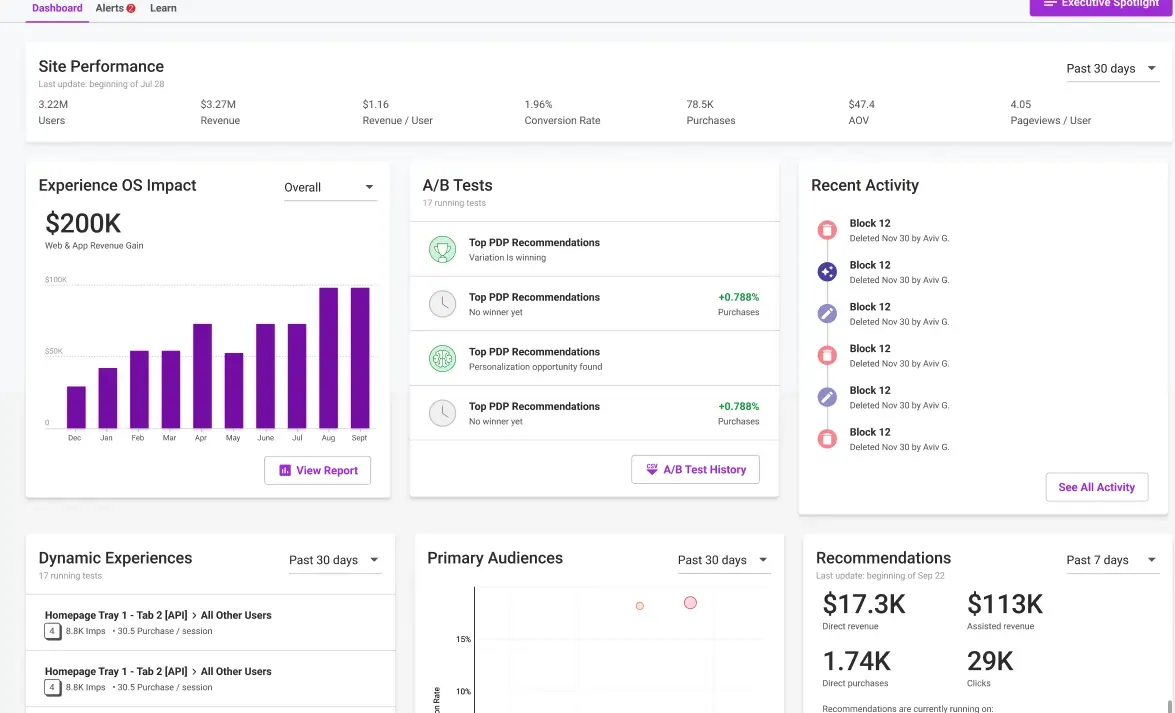
Pricing: You have to talk to sales for Dynamic Yield’s pricing.
What is Dynamic Yield?
Dynamic Yield is a digital experience optimization platform that offers personalization, A/B testing, and recommendations across web, mobile, and email channels.
What are Dynamic Yield’s Top Features?
- AI-powered personalization engine that delivers relevant content and experiences based on visitor behavior, preferences, and previous interactions.
- A/B and multivariate testing that allows teams to compare content/campaign variations and dynamically direct traffic toward better-performing experiences.
- Real-time segmentation and targeting that helps teams create audience groups based on browsing behavior, traffic sources, customer attributes, and other conditions.
- Recommendation engine that suggests relevant products and content based on visitor interests and behavior.
- Omnichannel optimization that allows growth teams to test and personalize experiences across websites, mobile applications, and email campaigns.
Dynamic Yield’s Pros and Cons
Pros
- Its powerful AI-driven personalization and recommendation engine helps teams match products, content, and offers to different visitors.
- Highly scalable for enterprise personalization programs that need to optimize experiences across large audiences and several digital properties.
- Combines testing and personalization in one platform, so teams can evaluate changes and use experiment insights to improve targeting.
- Supports testing across web, mobile, and email, helping growth teams optimize experiences across different customer touchpoints.
Cons
- Enterprise pricing restricts access for smaller teams that don’t need its extensive personalization and recommendation functionality.
- There’s a learning curve for teams new to personalization, especially when configuring audience rules and automated recommendations.
- The reporting interface can feel overwhelming when managing multiple campaigns, segments, and performance metrics.
Why Dynamic Yield is a Fit for Growth Teams
Growth teams who want to go beyond simple A/B testing will appreciate Dynamic Yield’s blend of experimentation and personalization. You can test content and variation, while the AI-driven system learns user behavior and surfaces content proactively. It helps you move from iterative tests to more adaptive growth strategies.
Why Do Companies Use Dynamic Yield?
Enterprises adopt Dynamic Yield when they require a unified platform for experimentation plus sophisticated personalization, especially when running at scale across many channels.
Organizations already invested in e-commerce, content platforms, or large user bases often turn to Dynamic Yield to consolidate testing, personalization, and delivery under one roof.
What Users Say About Dynamic Yield
Positive:
DY has been instrumental in improving our conversion rate by A/B testing product recommendations throughout the customer checkout journey. Timely, dynamic content implementation.
Dynamic Yield’s personalization and recommendations tool is a game-changer for any business looking to enhance their customer experience. The platform’s ability to deliver highly personalized content and product recommendations in real-time is truly impressive.
Source: G2
Critical:
Minor limitations that can be overcome are: Limited built-in analytics capabilities (where comprehensive detail is required) – We’re working on pushing raw data to our internal analytics tools to have this view.
Source: G2
12. Crazy Egg
Best for: Startups, small ecommerce teams, and small growth marketing teams who want simple A/B testing with heatmaps and session insights.
Pricing: Crazy Egg’s Plus plan starts at $99/month for 150,000 tracked pageviews, billed annually. A 30-day free trial is available.
What is Crazy Egg?
Crazy Egg is a user behavior and optimization platform combining heatmaps, session recordings, surveys, and basic A/B testing.
What are Crazy Egg’s Top Features?
- A/B testing with GA4 integration that sends experiment variation data to Google Analytics so teams can measure how different page versions affect performance.
- Heatmaps and session recordings that show where visitors click, scroll, and spend time to help teams identify website friction and improvement opportunities.
- Multiple conversion goals per test, so you can compare variant performance across more than one metric (e.g., signups, clicks, revenue) in one experiment.
- Simple get-started workflow, with minimal setup, intuitive UI, visual editor (page editor) for non-technical users.
- Surveys and conversion analytics that help teams collect visitor feedback and track conversions alongside behavioral insights and experiment results.
Crazy Egg’s Pros and Cons
Pros
- Extremely easy to set up and use for growth teams new to testing.
- Useful behavioral insights from heatmaps and session recordings help teams understand where users click, scroll, or encounter friction.
- Affordable pricing compared with many testing platforms, especially for small businesses that need basic experimentation and visitor behavior analysis.
- A simple visual editor allows marketers to create and test page variations without needing developer support.
Cons
- Only annual billing is available, so teams must commit to a full year rather than pay month to month.
- Reporting is fairly simple and may not satisfy advanced growth teams that need more statistical controls or specialized analysis.
- Not suited to high-volume or enterprise experimentation programs requiring complex governance, server-side testing, and feature management.
- A/B testing can be basic compared with other tools on this list.
Why Crazy Egg is a Fit for Growth Teams
Crazy Egg offers a fast and beginner-friendly path to insight. You can launch simple experiments, get visual feedback, and tie results with behavioral analytics to learn more. It’s ideal for teams who want to validate ideas quickly without the burden of full-stack experimentation tools.
Why Do Companies Use Crazy Egg?
Growth marketers often choose Crazy Egg when they want both behavior insights and A/B tests in one place. Its integration with GA4 means results don’t live in isolation. It’s a solid pick when you don’t need advanced experiment logic, just actionable insights.
What Users Say About Crazy Egg
Positive:
I like that Crazy Egg allows us to track any page on our website and we can see how well it’s doing and if there’s anything we need to change up. It’s quick to set up a new Crazy Egg tracker and once its set up its easy to see the hot spots and downsides of where people are clicking and spending the most time. You can also set how long you want it tracked for and when you want it stopped.
Source: G2
Critical:
Support is sometimes a little slow to respond in some cases. There are some technical issues or quirks that aren’t described in their documentation, so I had to investigate them myself.
Source: G2
How to Choose the Right Tool for Your Growth Team
Use this simple framework: Budget + Experiment Volume + Team Size + Technical Expertise.
Below are three scenarios and tool recommendations for each:
Scenario 1: Startup on a Tight Budget
- Constraints: Low traffic, lean team (often consisting of solo or 2-3 people), and minimal engineering bandwidth.
- What matters most: Free or very cheap pricing, ease of setup, no-code interfaces, minimal overhead.
- Recommended tools:
- Crazy Egg: Lightweight, fast to set up, good for early experiments.
- GrowthBook: Open-source with a free tier, flexible and transparent
- PostHog: Analytics and experimentation combined, so fewer tools to juggle. Its no-code web experiment editor also supports simple website changes without developer involvement.
Scenario 2: Scaling SaaS Growth Team
- Constraints: Moderate to high traffic, dedicated growth/CRO team, partial engineering support.
- What matters most: Ability to run multiple experiments concurrently, reliable stats, integrations with product and analytics stack, and good support.
- Recommended tools:
- Convert Experiences: Reliable suite of experimentation features that support growth teams, self-service pricing, and great support.
- Wingify: Combines CRO tools, visual website testing, and feature experimentation, which is great for teams balancing marketing and product optimization.
- Amplitude: Useful if your growth team already uses Amplitude analytics.
Scenario 3: Enterprise Growth Organization
- Constraints: High volume, multiple teams, multiple platforms, and strict governance and compliance requirements.
- What matters most: Granular feature flagging, advanced personalization, multivariate experimentation, strong statistical guardrails, SSO, and audit logs.
- Recommended tools:
- Convert: Privacy-first, enterprise experimentation and personalization.
- Optimizely: Enterprise powerhouse in experimentation and personalization.
- Adobe Target: Deep integration with the Adobe stack for large enterprises.
- LaunchDarkly: Feature flagging and experimentation at scale.
Quick Setup Tips for Growth Teams
Here’s some practical advice for growth teams running experiments:
- Centralize your experiment tracking
Use one source of truth (Jira, Notion, Airtable, or a testing backlog) where you store ideas, hypotheses, test setups, and results. This ensures continuity, prevents duplication, and builds collective memory for your team.
Then, document everything rigorously. Run overlapping tests? Feature flags switching mid-test? Always record hypothesis, audience, variant logic, results, and next steps. That discipline helps avoid “lost insights” and ensures that growth culture scales faster than any single tool.
- Align tests with your North Star metrics
Anchor your growth experiments to metrics your team really cares about (activation, retention, ARPU, revenue). That way, experiments don’t feel like you’re “just testing” for the fun of it; rather, they feed your core strategy. - Start with “high signal” tests
Pick pages or flows with high traffic but subpar conversion (e.g., onboarding, pricing pages, or checkout). These yield stronger signals, faster wins, and clearer direction for follow-up experiments. - Blend experiment data with other sources
Don’t silo your test results. Merge experimentation data with GA4, ecommerce, or external datasets (weather, macro, stock trends, etc.) in BigQuery or Looker Studio. This helps spot contextual patterns and non-obvious correlations. - Always wait for statistical significance
Even under pressure, avoid jumping to conclusions. Many A/B testing platforms, like Convert, strongly recommend a minimum sample size and significance before drawing conclusions. That discipline helps avoid wasted moves. - Don’t ignore compound goals and micro-interactions
Track not just final conversions, but intermediate micro-conversions (e.g., feature clicks, engagement triggers) that may lead to long-term value. These often surface hidden levers for growth. - Leverage multi-step funnels and growth loops
Break your experimentation logic across funnel stages (Awareness, Activation, Retention, Referral, Revenue, if you use the pirate metrics, for example).
At each stage, ideate → hypothesize → test → learn → repeat, turning the funnel into a growth loop. This ensures you’re iterating forward, not just patching leaks.
Conclusion
A/B testing tools don’t win growth. Your team culture does. The right tool acts as a force multiplier, but only when it matches your team’s stage, technical capacity, and growth ambitions. Start with the tool that fits today, and scale as the need arises.
Want to dig deeper? Check out our full A/B Testing Guide for frameworks, best practices, and examples to power your growth program (including mistakes to avoid).
Frequently Asked Questions
There’s no one-size-fits-all answer, but look for tools that balance speed, reliability, and scalability. For many growth teams, Convert, Wingify, or Optimizely hit the sweet spot. For more flexible or developer-first setups, GrowthBook or PostHog may be better.
Startups typically benefit from tools that offer free tiers, easy setup, and minimal maintenance (e.g., Plerdy, GrowthBook, PostHog).
Enterprise companies often need advanced features like multivariate testing, personalization, audit logs, and SSO (e.g, Convert, Optimizely, Adobe Target, LaunchDarkly).
Yes. GrowthBook offers a free Starter plan with unlimited experiments and feature flags for up to three users, while PostHog includes free monthly allowances for analytics events and feature flag requests.
Amplitude, Statsig, and LaunchDarkly also provide free experimentation options. However, these plans have different restrictions on active experiments, event volumes, advanced features, or team access, so check the limits before choosing one.
Convert Experiences, Optimizely, Wingify, GrowthBook, and PostHog are popular alternatives to Google Optimize, which Google discontinued in 2023.
Convert and Wingify are useful for marketers who want visual website testing, while GrowthBook and PostHog offer more developer-focused workflows. Optimizely serves organizations running larger experimentation programs that require advanced controls, integrations, and governance.
Use a framework based on:
• Budget
• Experiment Volume
• Team Size, and
• Technical Expertise.
Map those dimensions against features like no-code editing, feature flags, analytics integrations, and support. We outline this in detail in the sections above.
Yes. Many A/B testing platforms integrate with analytics tools to share experiment assignments, conversion events, and other performance data. Some also let you use existing analytics audiences when targeting experiments.
Convert, for example, integrates with GA4 and Mixpanel. Before choosing a platform, check whether the integration is built in or requires custom setup, and whether visitor identities and conversion events remain consistent across systems.
Many do. Top tools combine testing and personalization (e.g., Convert, Kameleoon, and Optimizely) or include feature flag capabilities (e.g., Convert, LaunchDarkly) so you can test and gradually roll out features.
You’ll typically pay based on “tested visitors” or experiment volume. Many tools start in the few hundreds of dollars per month for moderate traffic and scale up sharply as usage grows. A few tools range from $0 to $99/month, usually with limitations.
As your growth experiments expand, expect costs to rise due to additional variants, concurrency, and premium features (such as multivariate testing, personalization, or feature flags). Many vendors gate advanced capabilities or support to higher tiers, so always ask about overage rules, add-on modules, and whether key features are included at each level.
Convert includes everything most teams need to run their growth testing program in the base tier at $299/month (billed annually).


Written By
Althea Storm
B2B SaaS Writing, A/B Testing, A/B Test Duration +4 more
B2B SaaS Writing, A/B Testing, A/B Test Duration, Shopify Conversion Optimization, Experimentation in Tourism, Personalization for Lean B2B Teams, Experimentation Industry Analysis Show less
Edited By
Carmen Apostu

How Was This Blog Written
This article was originally written by Uwemedimo Usa and updated by Althea Storm. To develop...
This article was originally written by Uwemedimo Usa and updated by Althea Storm.
To develop it, we used the following sources of input:
- Primary sources reviewed: Official product documentation, pricing pages, and release announcements for the platforms requiring updates (checked in October 2026); G2 customer reviews; and Convert’s product documentation and pricing page.
- Internal expertise used: Convert’s existing practitioner research and experimentation expertise, including insights from growth teams and experimentation professionals reflected in the original article.
- AI assistance was used for: Researching product updates, comparing platform functionality, identifying outdated information, expanding FAQs, SEO and AISO analysis, and grammar and clarity checks.
- AI was not used for: Original practitioner interviews, writing updated product comparisons, making final editorial recommendations, independently verifying internal research, or granting final editorial approval.
Every factual claim was reviewed by Althea Storm and Carmen Apostu. Claims involving product functionality or pricing were checked against each vendor’s official documentation and pricing pages, while Convert-specific product claims were verified by Diego Catalan.